

Table of Contents
- Verification Might Not Be Finished
- Details Don’t Match
- Recent Edits Can Cause a Pause
- Competition and Local Ranking
- Duplicate Listings or Shared Addresses
- Policy or Suspension Issues
- Lack of Activity or Updates
- Weak Website Connection
- Temporary Review or Data Delays
- Bringing the Profile Back
- Conclusion
- FAQs
When you search for your business on Google Maps and nothing appears, frustration quickly sets in. The location pin is missing, the profile does not show up, and potential customers cannot find you. Since a Google Business Profile acts as a digital storefront, visibility plays a major role in attracting local customers. Therefore, when the listing disappears, local traffic often drops immediately.
In most cases, this problem does not happen because of a single reason. Instead, small errors, system reviews, or missing steps usually cause it. Once you understand these factors, fixing the issue becomes much easier.
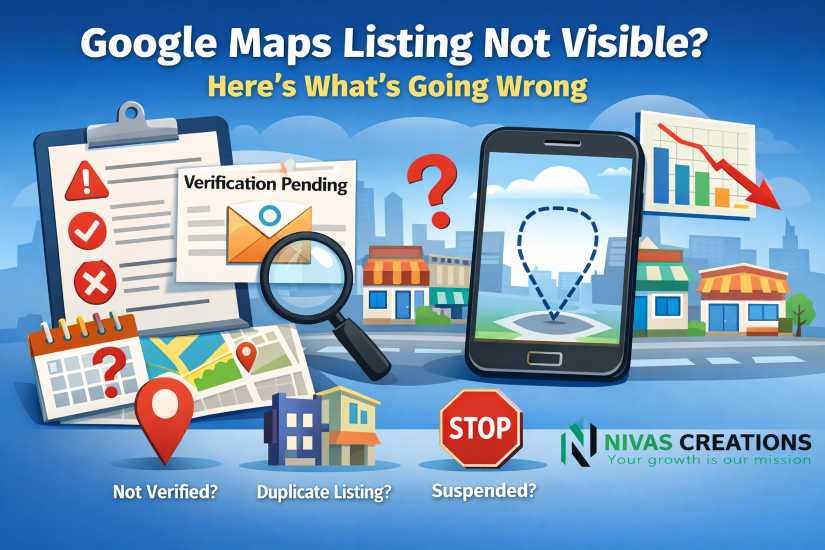
Verification Might Not Be Finished
Google shows only verified businesses on Google Maps. Verification confirms that the business is real and prevents fake listings. Until you complete this step, Google keeps the profile hidden.
Google may verify your business through a postcard, phone call, email, or video. Therefore, checking your dashboard regularly helps you spot unfinished steps quickly. Once verification finishes, the profile usually becomes visible within a few days.
Details Don’t Match
Even small mismatches in business details can reduce visibility. For example, differences in the business name, address, or phone number across websites confuse Google.
If your website shows one version of the name while directories show another, Google may treat them as separate businesses. As a result, keeping the same information everywhere builds trust and improves Google Maps visibility.
Recent Edits Can Cause a Pause
Whenever you change important details like your business name, address, or category, Google reviews the update. During this time, the listing may temporarily disappear.
This pause is normal. However, frequent edits restart the review process again and again. Therefore, it is best to make necessary changes carefully and then wait until the review finishes.
Competition and Local Ranking
Sometimes, the business has not disappeared at all. Instead, it ranks lower than expected. Google Maps rankings depend on relevance, distance, and prominence.
- Relevance measures how closely your profile matches a search
- Distance depends on the user’s location
- Prominence includes reviews, ratings, mentions, and online presence
If competitors nearby have better reviews or higher engagement, they will appear first. However, regular updates, fresh photos, and customer reviews gradually improve rankings.
Duplicate Listings or Shared Addresses
Duplicate listings often confuse Google. This issue usually happens in shared offices, apartment complexes, or coworking spaces.
To fix this, adding a suite or unit number helps Google identify the correct business. In addition, reporting duplicate listings allows Google to merge or remove them. Once resolved, the correct profile usually reappears on Maps.
Policy or Suspension Issues
Google hides or suspends profiles that break its guidelines. Common issues include keyword stuffing in the business name, using a P.O. box as an address, or creating multiple listings for the same business.
When this happens, Google usually shows a notice in the dashboard. Therefore, fixing the violation and submitting a reinstatement request becomes necessary before visibility returns.
Lack of Activity or Updates
Inactive profiles often lose visibility over time. Google prefers businesses that stay active and updated.
For example, adding new photos, posting updates, and replying to reviews show that the business is open and engaged. As a result, consistent activity helps maintain rankings and improves trust.
Weak Website Connection
A Google Business Profile performs better when supported by a strong website. If your website does not clearly mention the business name, address, or service area, Google may struggle to connect them.
Including location details on your website and maintaining local relevance strengthens this connection. Moreover, links from local directories further improve credibility and visibility.
Temporary Review or Data Delays
Google regularly updates its database. During these updates, some listings may temporarily disappear.
Although this can be worrying, the issue usually resolves itself. Keeping business information accurate ensures the profile returns once the update finishes.
Bringing the Profile Back
Most Google Maps visibility problems come from simple, fixable issues. Incomplete verification, inconsistent details, or inactivity cause the majority of cases.
By maintaining accurate information, following Google’s rules, and staying active, businesses usually regain their visibility. Over time, consistent engagement helps listings remain stable and visible.
Conclusion
When a business does not appear on Google Maps, it rarely means permanent removal. Instead, verification delays, mismatched information, or ranking factors usually cause the issue.
Therefore, consistency matters. Keep your details accurate, update your profile regularly, and follow Google’s guidelines. With patience and the right steps, your business listing will reappear, making it easy for customers to find you again.
FAQs
1. How long does it take for a business to appear on Google Maps?
Usually, listings appear within a few days after verification. However, reviews or updates may cause slight delays.
2. What should be done if a business profile gets suspended?
First, review the suspension reason. Then, correct the violation and submit a reinstatement request.
3. How can verification status be checked?
The Google Business Profile dashboard shows a “Verified” status once the process is complete.
4. How does Google verify a business?
Google verifies businesses through postcards, phone calls, emails, or video confirmation.
5. Why might a business not be visible after verification?
Recent edits, policy reviews, ranking factors, or data refresh delays can temporarily affect visibility.